SELF-ORDERING

More orders. Less counter pressure.

Give customers a guided way to browse, customise and confirm an order while your team stays focused on cooking and fulfilment.
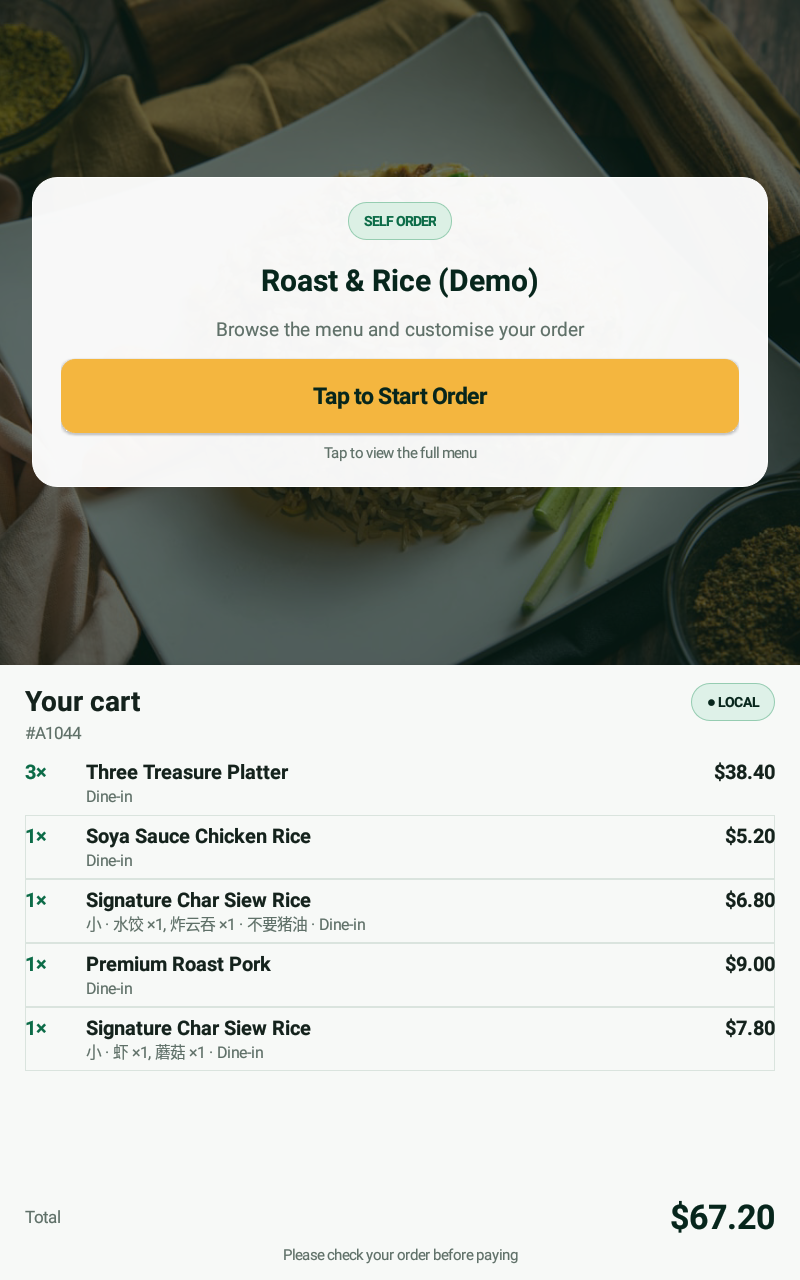
SELF-ORDERING UI · PORTRAIT MODE
Portrait self-ordering screen showing the start-order prompt and complete cart
Customers choose
at their pace.
ANOTHER WAY TO ORDER

Serve the customer in front of you.
And the one deciding nearby.

Self-ordering creates extra ordering capacity without forcing every question through the same counter conversation.

TEAM

Keep preparing food

The stall team spends more attention on cooking, packing and handover.

ONECONNECTEDFLOW
CUSTOMER

Browse without pressure

Customers can review products and options before committing to the basket.

GUIDED FROM START TO FINISH

A simple journey for a menu with real choices.

Self-ordering is only useful when the screen makes decisions easier. The flow keeps categories, modifiers, quantities and totals visible at the right moment.

01

BrowseFind the dish by category.

02

CustomiseSelect required and optional choices.

03

ReviewCheck the full basket and total.

04

SendMove the confirmed order to the stall.
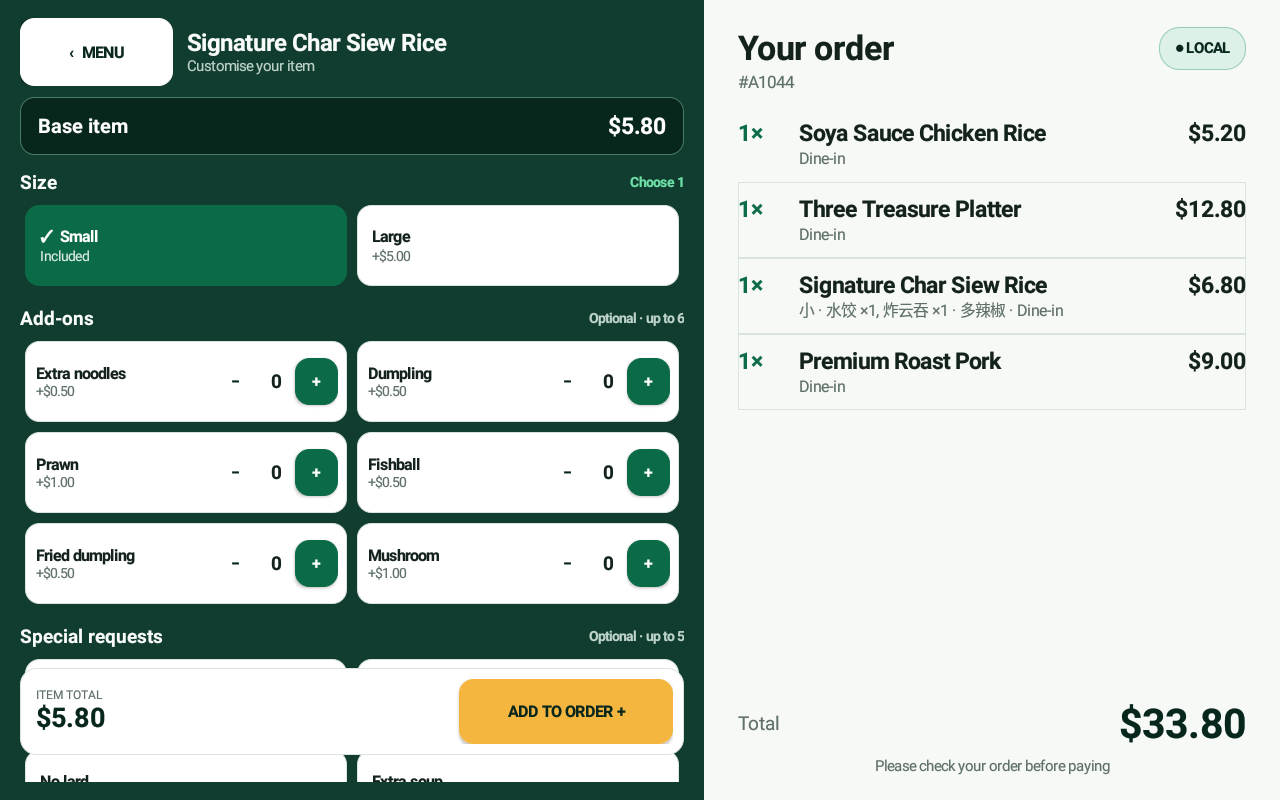
SELF-ORDERING UI · LANDSCAPE MODE
Landscape self-ordering screen showing item customisation and the current order
COUNTER ONLY1 ordering lane
COUNTER + SELF-ORDERMore ways to begin
THE BUSINESS VALUE

Add capacity without turning the stall into a complicated operation.

A self-ordering lane can absorb browsing and customisation while the counter continues serving customers who prefer a human exchange.

  • Complement the counter—do not replace it
  • Make modifiers visible and consistent
  • Let customers take more time without holding the line
NEXT: MAKE THE NUMBERS WORK

Compare a focused system with the cost of conventional POS.

Look beyond the sticker price and decide which capabilities actually earn their place at your stall.

Continue exploring